Safety Checkpoint, Redesigned: One App on the Web and on iPhone
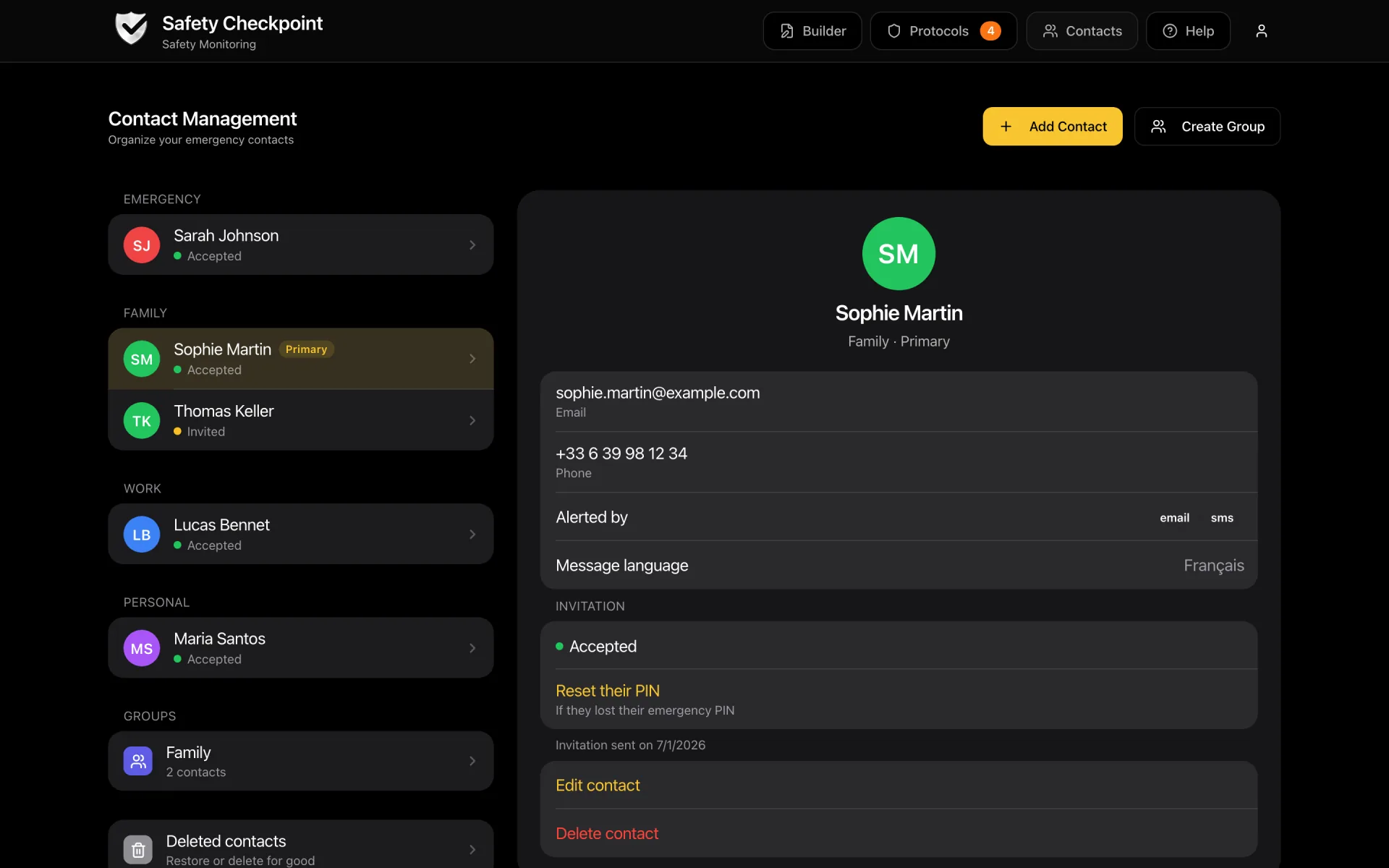
Safety Checkpoint has been redesigned. The website now has the iPhone app's screens, and the app checks that every contact can open your emergency package.
On this page
TL;DR
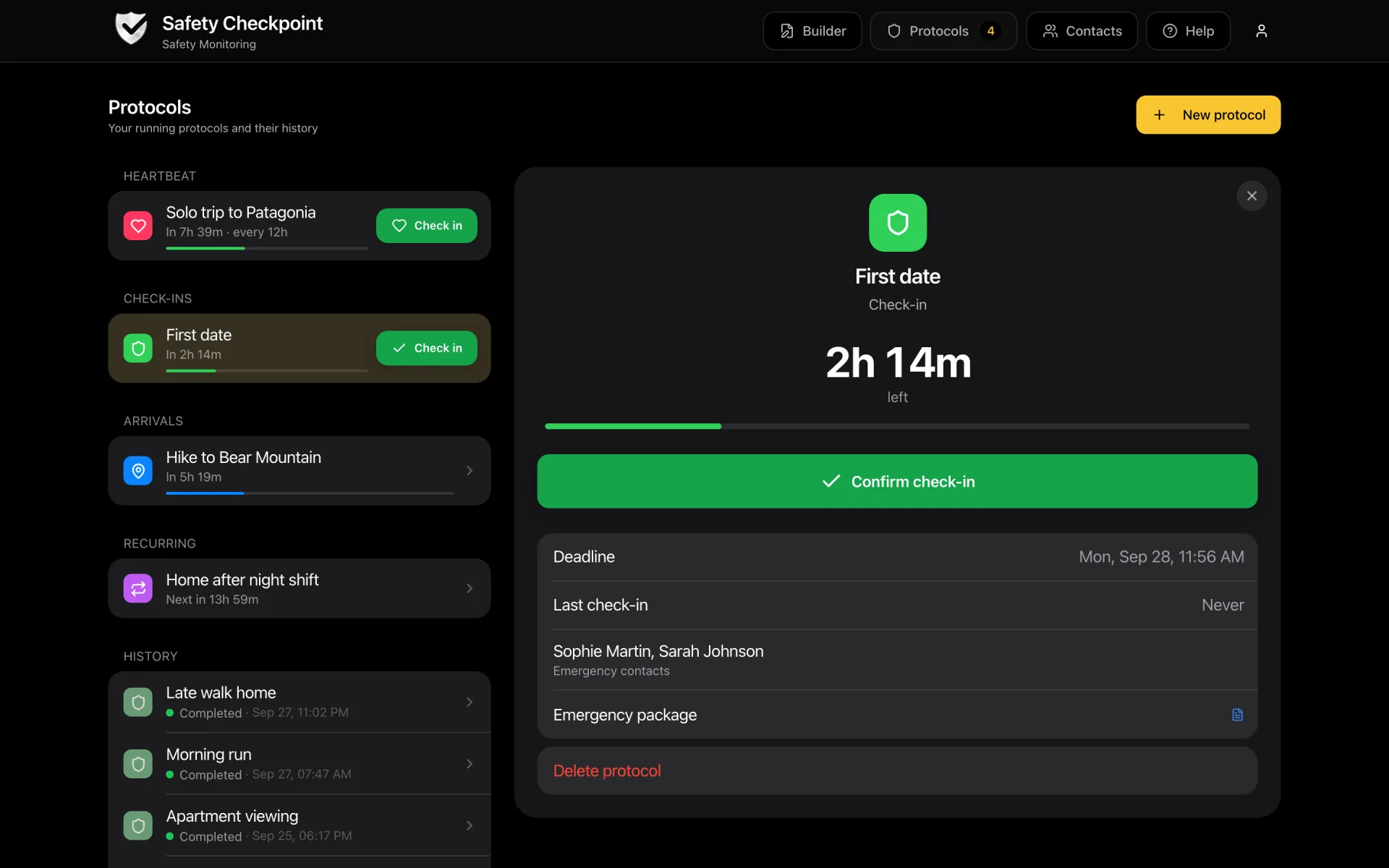
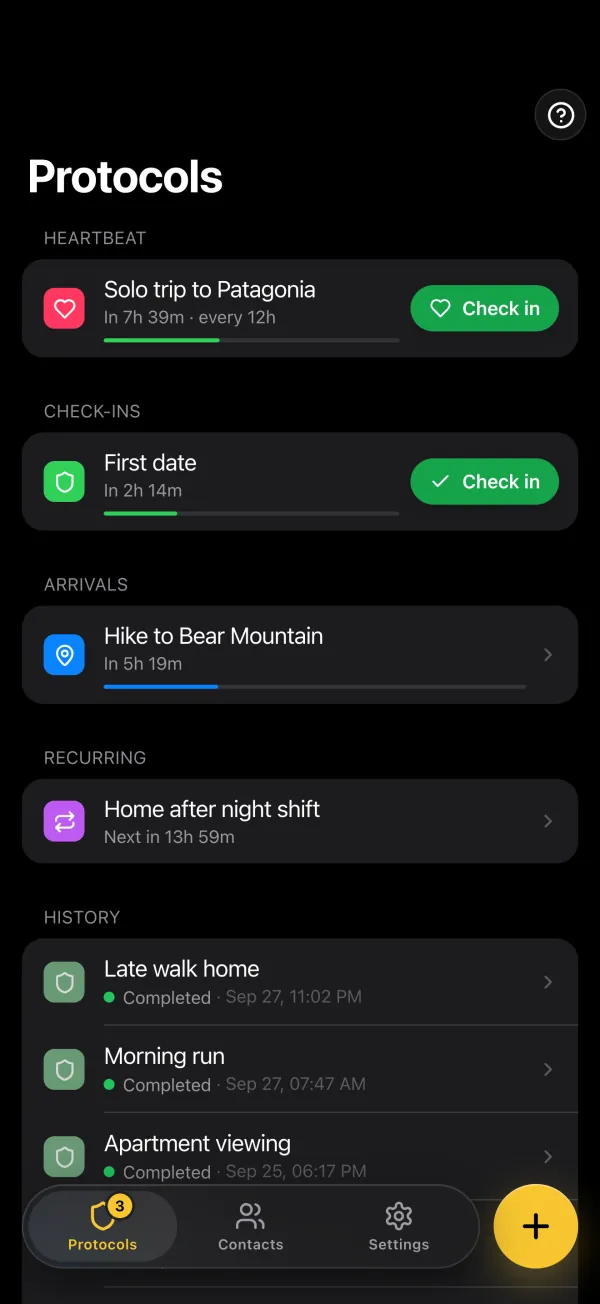
The website now uses the same screens and the same protocol form as the iPhone app. On a phone, the site looks and works like the app. On a computer, your protocols, contacts and settings show the list and the details side by side. You start a protocol from a template, your contacts receive their e-mails in their own language, and the app checks, contact by contact, that everyone you chose can open your emergency package. E-mail alerts are unlimited on every plan. The rebuilt iPhone app, version 1.0.7, is in App Store review and is coming soon.
Who is this for?
Everyone already using Safety Checkpoint on the web or on iPhone, and anyone comparing check-in apps who wants to see how it works today. There is nothing to migrate. Your protocols, contacts and history are where they were.
One App, Wherever You Open It
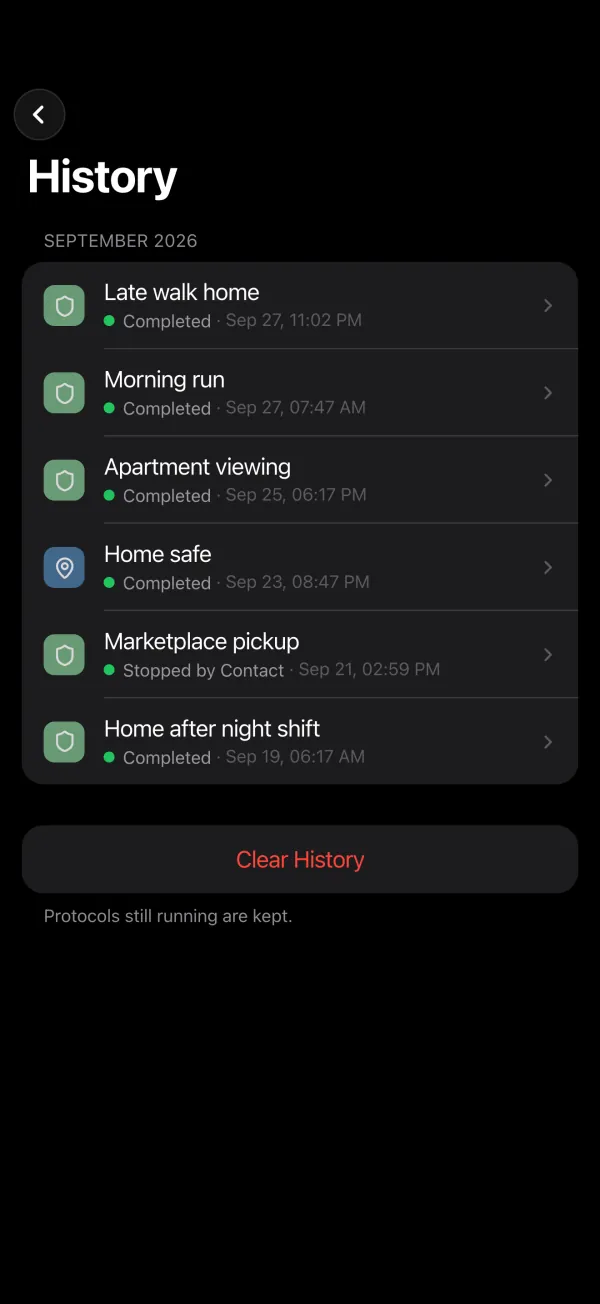
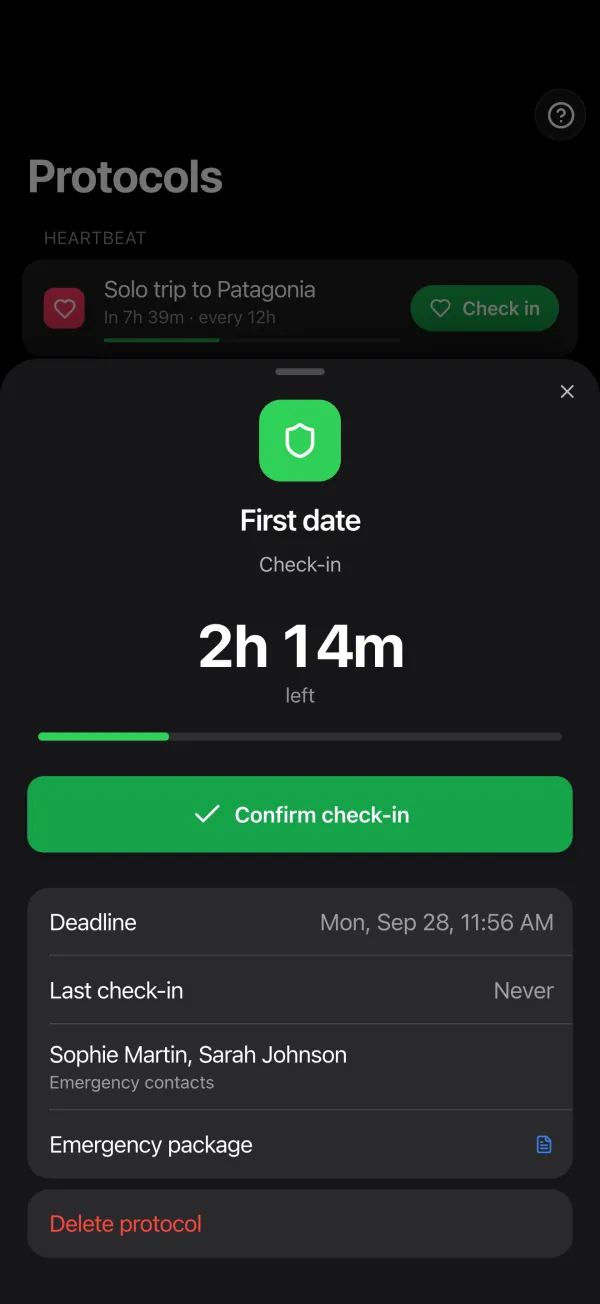
Until now, the website and the iPhone app were two different designs of the same service. They are now one.
Creating a Protocol Now Starts From a Template
A template fills in the type, the deadline and the name. You choose who is warned and what they read.
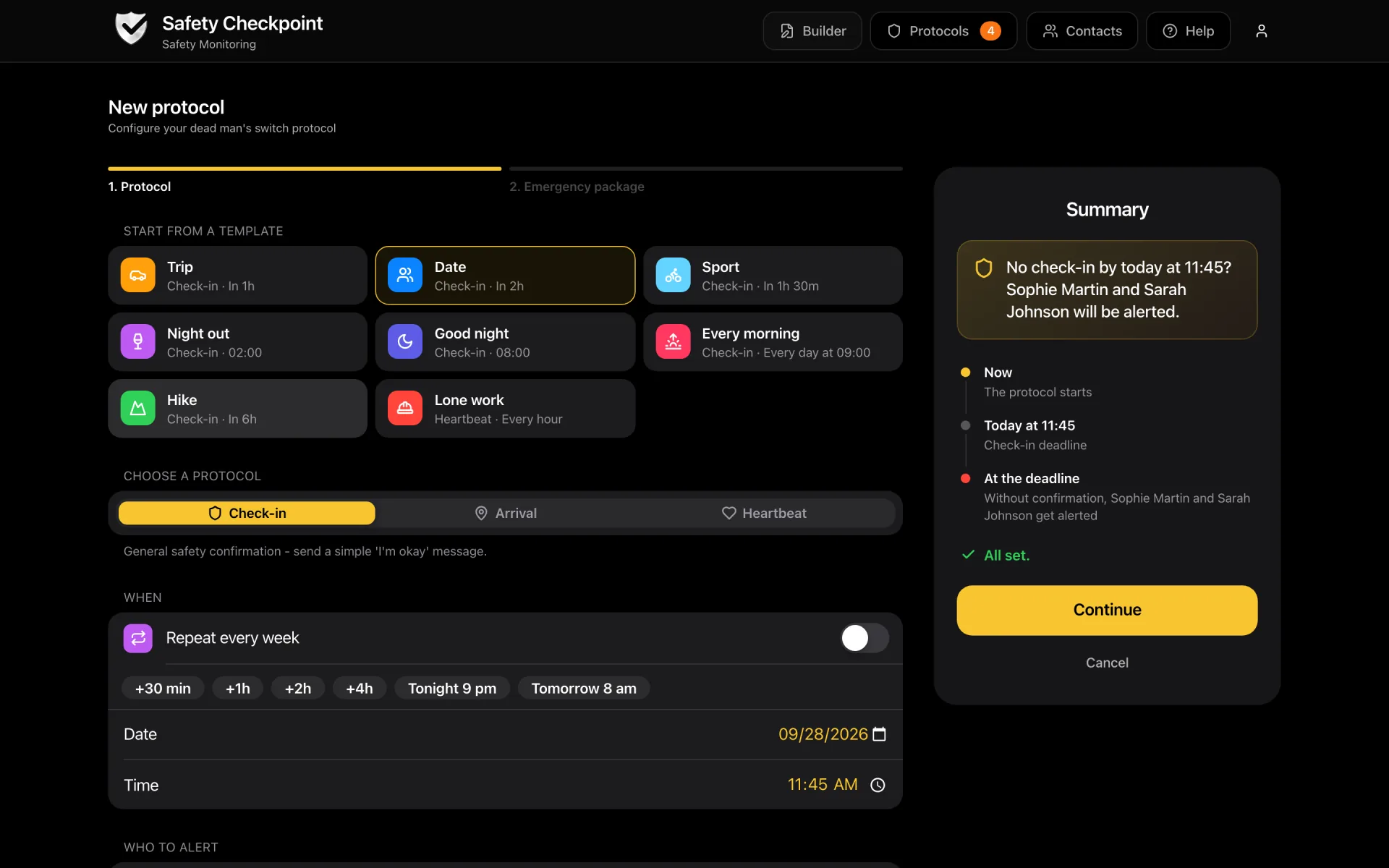
- Trip: a check-in one hour from now, with “I’ve arrived safely, all is well.” as the message
- Date: a check-in two hours from now
- Sport: a check-in an hour and a half from now
- Night out: a check-in at 2 a.m.
- Good night: a check-in at 8 a.m.
- Every morning: a recurring check-in every day at 9
- Hike: a check-in six hours from now
- Lone work: a heartbeat, with a check-in every hour
Recurring check-ins and heartbeats are on Safety 101 and above. On the free plan, templates you cannot use yet are shown greyed.
No template fits? Pick a type (check-in, heartbeat or arrival) and a quick deadline: 30 minutes, 1, 2 or 4 hours, tonight or tomorrow, or any date and time from ten minutes to a year ahead.
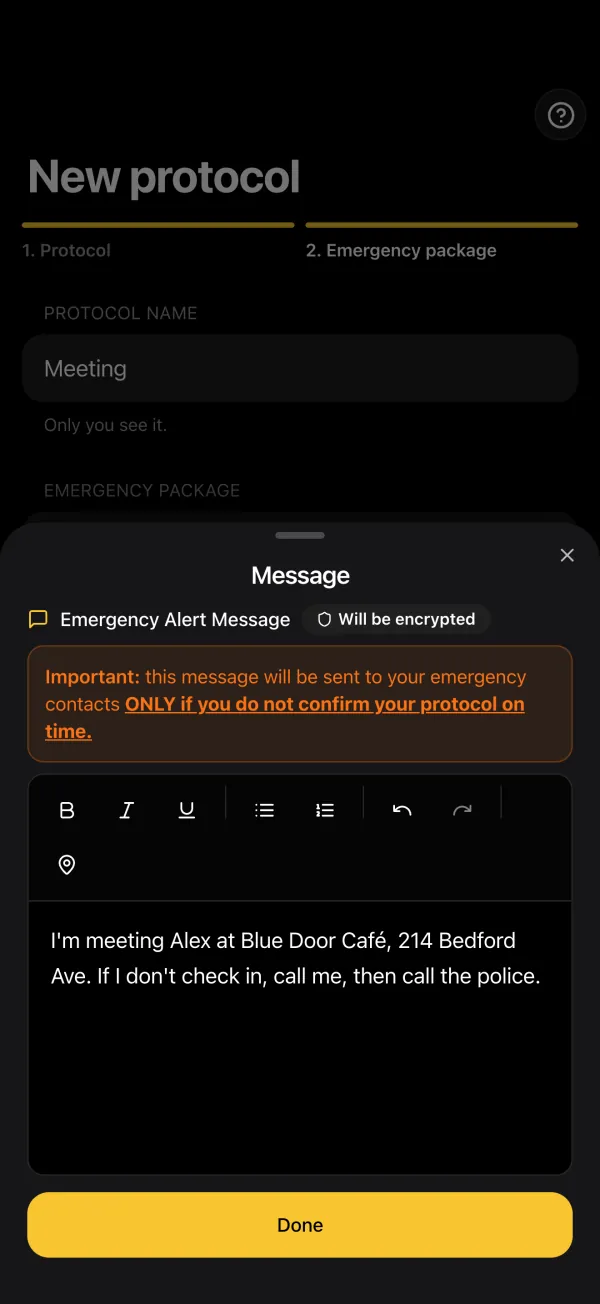
Each check-in sends your contacts a short confirmation. That message is now yours to choose: the usual one, or your own, on one line of up to 160 characters. Then comes your emergency package, the part your contacts only see if you miss your check-in: a message, and on paid plans files, audio and links. For a one-off protocol, the alert can go out as soon as the deadline is missed or up to 48 hours later.
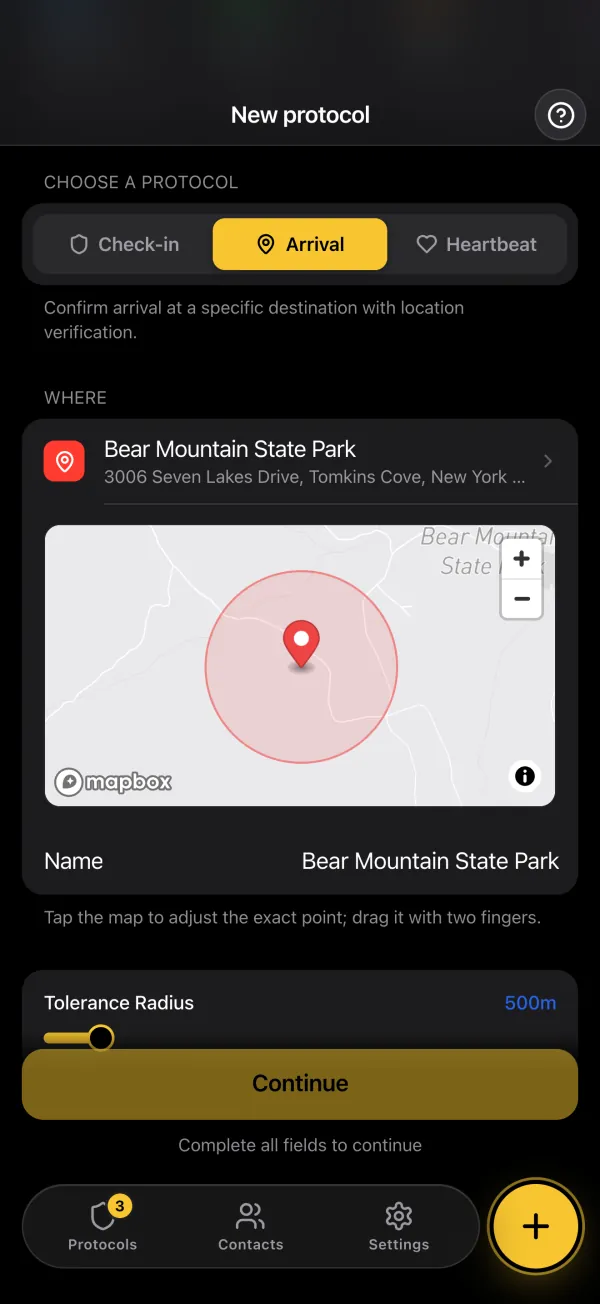
For an arrival, “Where are you going?” takes an address, a place or GPS coordinates, and shows the point and its radius on a map. If your GPS fails when you get there, “Bypass location” lets you confirm by hand, with your PIN and a reason. Your contacts are told, and no alert goes out.
Your Contacts, in Their Own Language
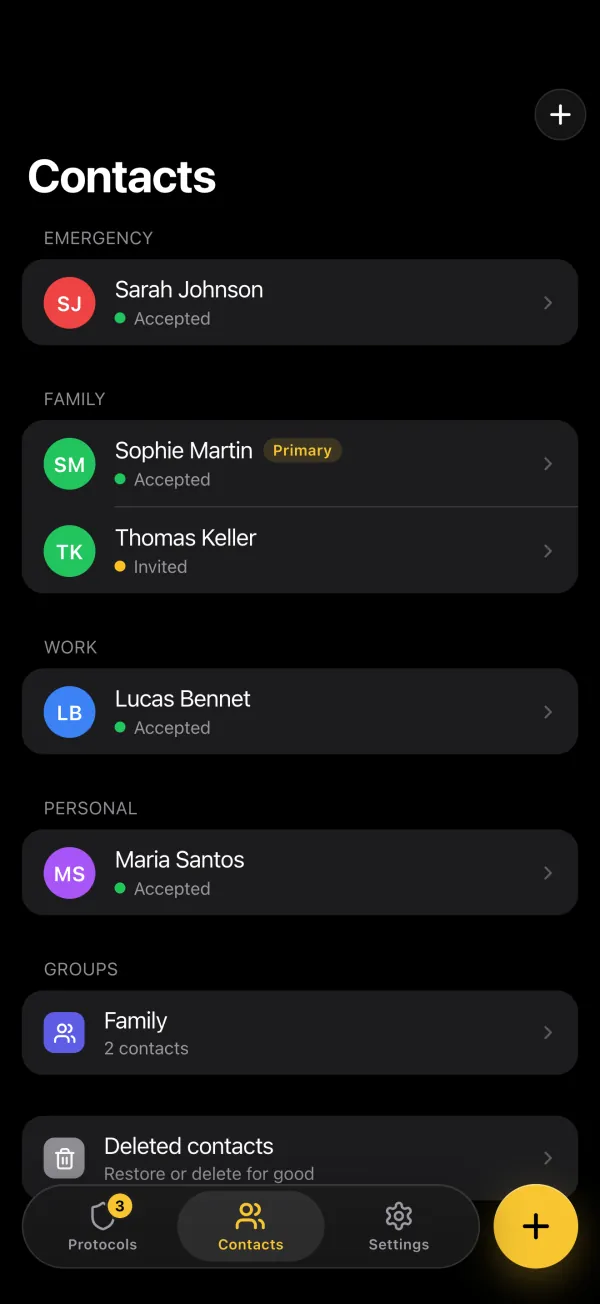
Only the contacts who accepted your invitation can be chosen in a protocol. Each one now receives every e-mail in the language you set for them (English, French or Spanish), with times shown in your time zone: the confirmation when you check in, the alert if you do not, and a message saying the situation is resolved if you check in after an alert went out.
E-mail alerts and confirmations are unlimited on every plan. Plans differ by what they let you set up. On the free plan, you get 1 contact and 1 one-off check-in a month. Safety 101 adds recurring check-ins, heartbeats, more contacts and encrypted files, and Survival adds SMS alerts and arrival protocols. The details are on the pricing page.
An Emergency Package Each Contact Can Open
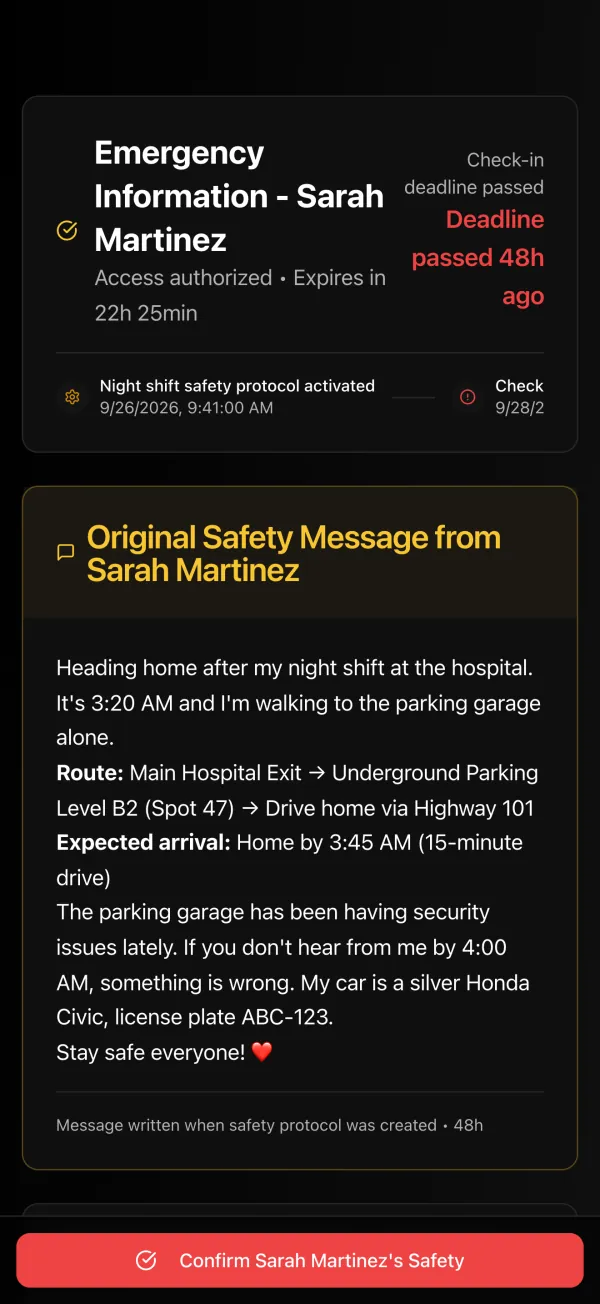
Your emergency message, links and files are encrypted separately for each contact, who opens the package with their own PIN on a secure page. Two situations used to leave a contact unable to open it without anyone noticing: a contact whose PIN was reset and who never finished setting up a new key, and files added before that contact was chosen.
The app now tells you. A contact without a key shows “Key to recreate” in Contacts and in the protocol form, and “Recreate their key” gives you a new PIN and a link to pass on. Files a chosen contact could not open are named while you can still add them again. At activation, anyone who could not open part of the package is named. They still receive the alert. If none of your contacts could open it, the protocol is not activated, and the app says what to fix.
The iPhone App, Rebuilt
Version 1.0.7 is in App Store review. It will be available as soon as Apple approves it.
- Protocols, Contacts and Settings in three tabs, with details that slide up from the bottom
- Templates and quick deadlines, as on the web
- “Where are you going?”: an address, a place or GPS coordinates, then the point and the radius on a map
- Your 15- and 5-minute reminders scheduled on the phone itself, so they show even without a network
- Each contact’s card: their invitation, a reminder or a new link, their PIN, and their encryption key
Until then, the website on your phone has the same screens. Every change is listed in the changelog.